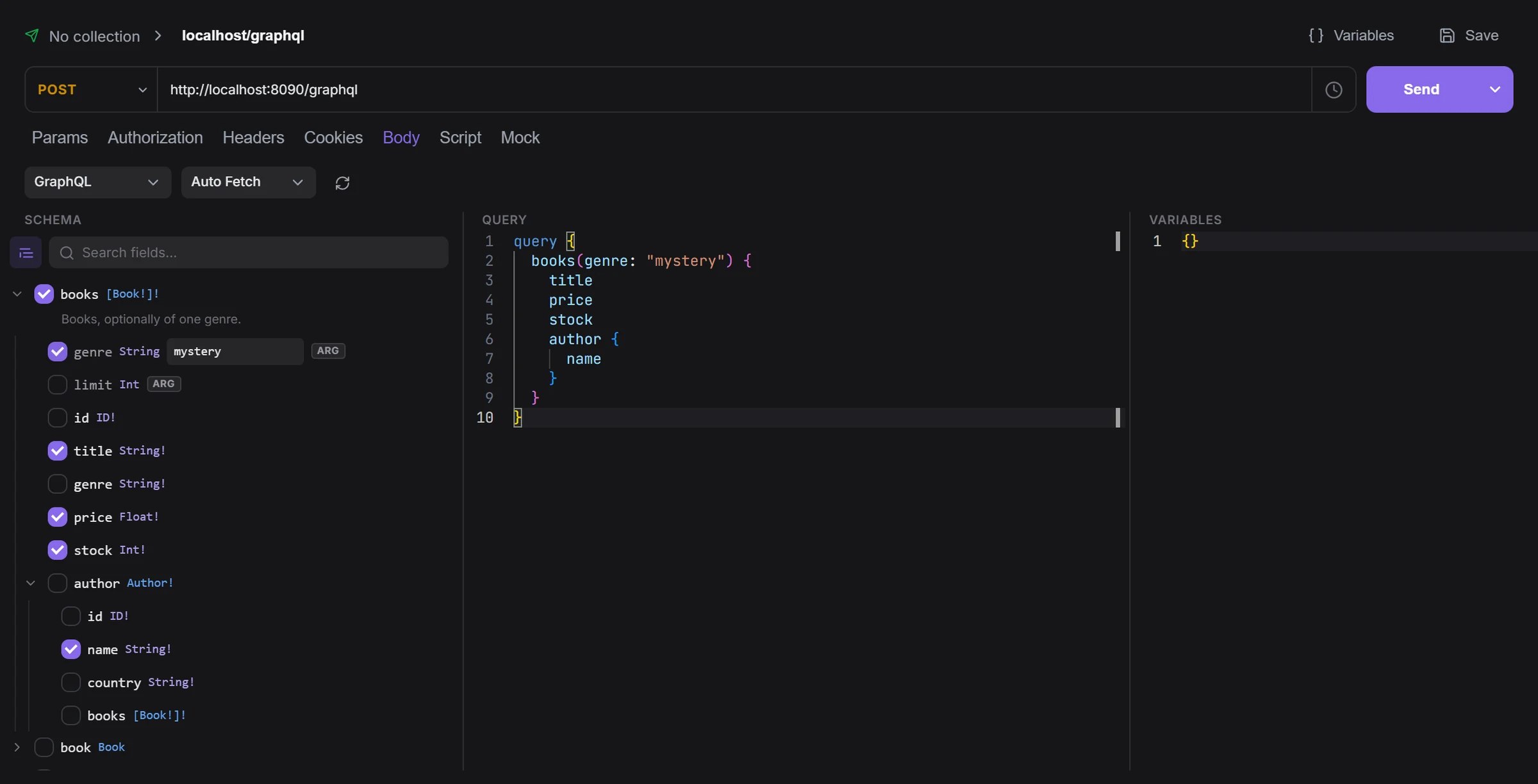
Every protocol in one place
HTTP, GraphQL with a schema explorer, gRPC over reflection, WebSocket and SSE — all from the same + menu.
Docs
Apiboo is a desktop app for API work and everything around it: requests, databases, terminals, servers, and your team’s boards, docs and chat. It works offline and keeps your data on your machine.
Free on your machine · macOS, Windows and Linux · no account needed
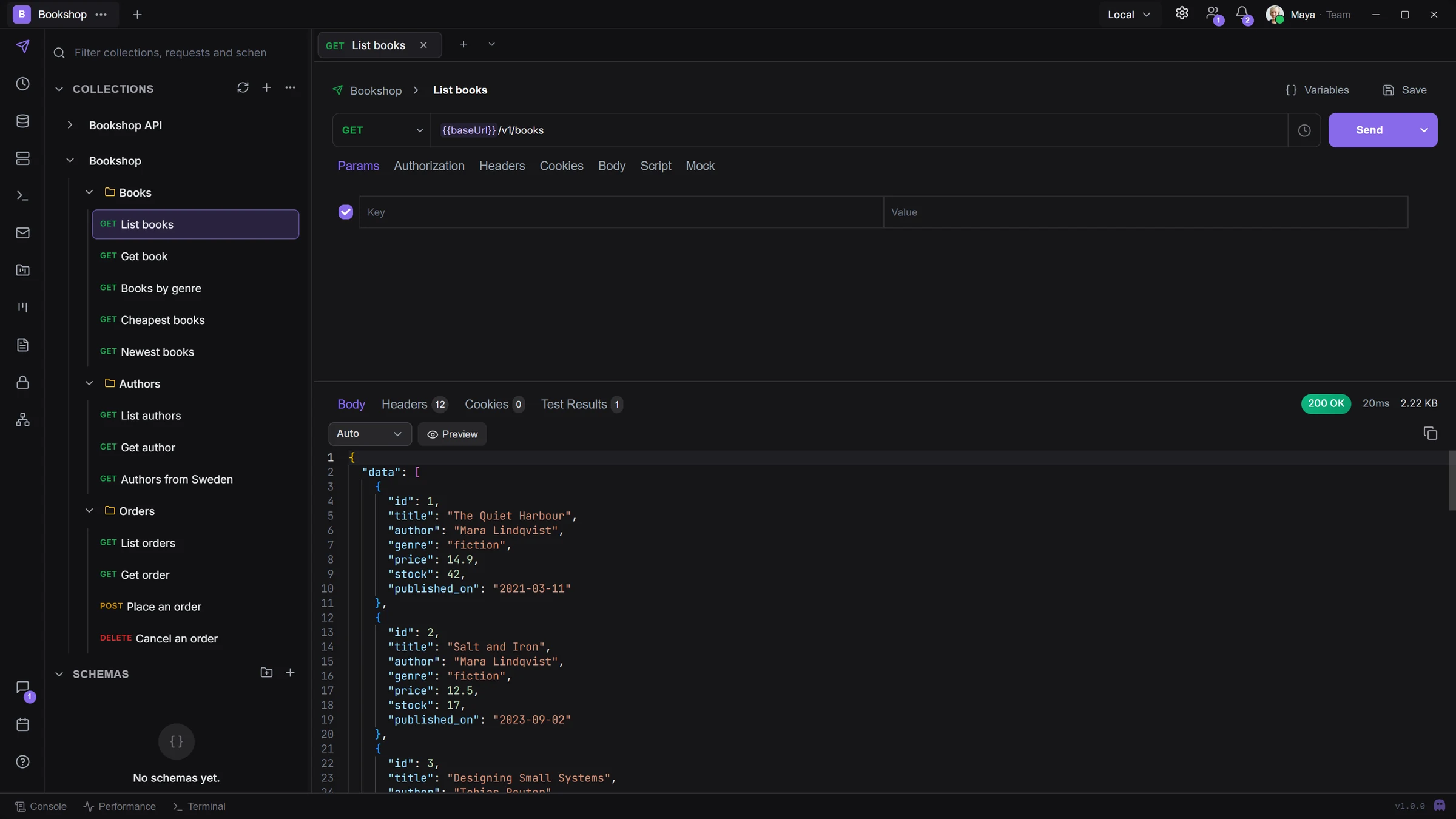
Works with what you already use
REST, GraphQL, gRPC, WebSocket and server-sent events, with the variables, scripts and runner that real API work needs.
Explore the API clientHTTP, GraphQL with a schema explorer, gRPC over reflection, WebSocket and SSE — all from the same + menu.
Docs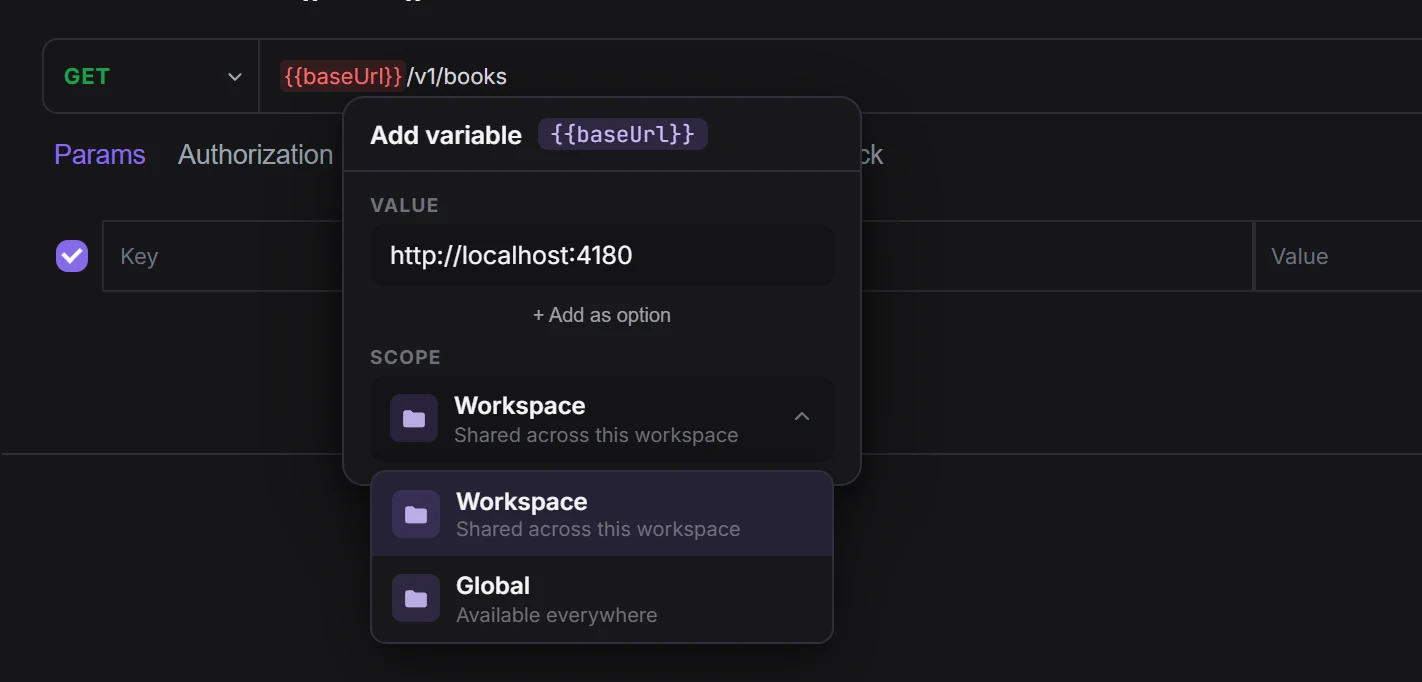
Write a value once as {{name}} and use it in URLs, headers, bodies and scripts, with workspace and global scopes and secret variables.
Docs
Pre-request and post-response scripts with boo.*, and pm.* as an alias, so imported Postman scripts run unchanged.
Docs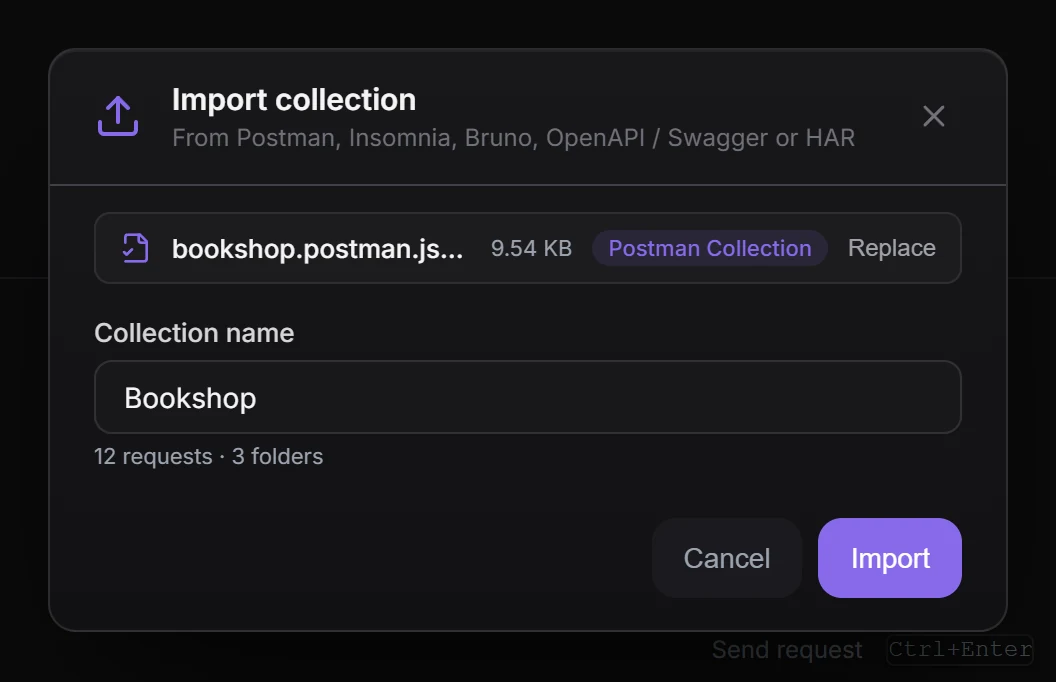
Bring Postman, Insomnia, Bruno, Hoppscotch, OpenAPI, Swagger, HAR and cURL. Export back to Postman, Insomnia, Bruno or OpenAPI whenever you like.
DocsRun every request in a collection in order and read all the results in one list.
DocsBearer, API key, Basic, OAuth 2.0 with PKCE or client credentials, and AWS Signature v4. Client certificates and proxies too.
DocsGenerate code in nine languages, and answer requests from a local mock server that runs on your machine only.
DocsQuery a database, open a shell on a server, edit a remote file and catch test mail without switching apps.
Explore the DB Manager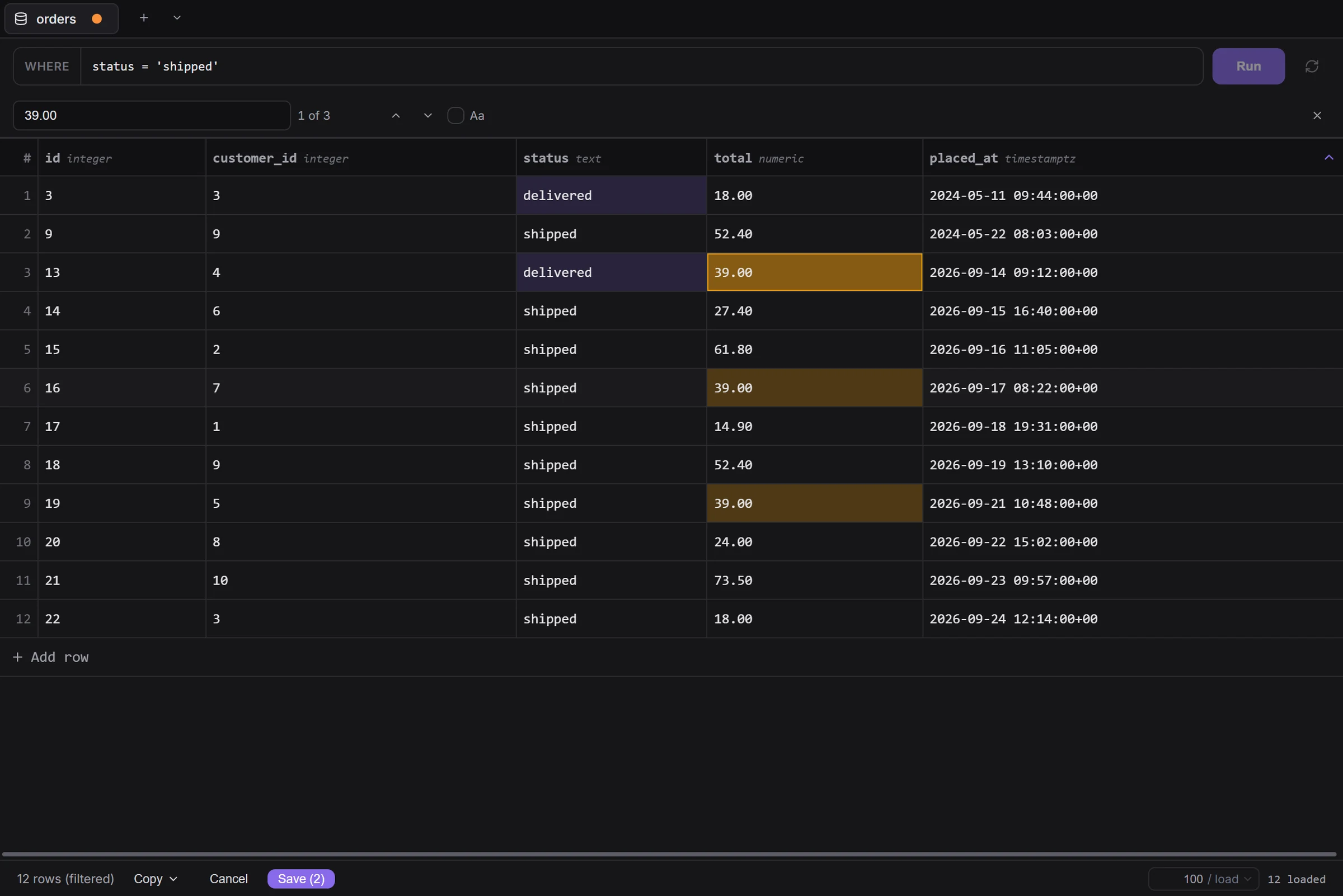
Connect to PostgreSQL, MySQL and SQLite. Filter, sort and follow foreign keys; edits are staged and saved in one transaction.
Docs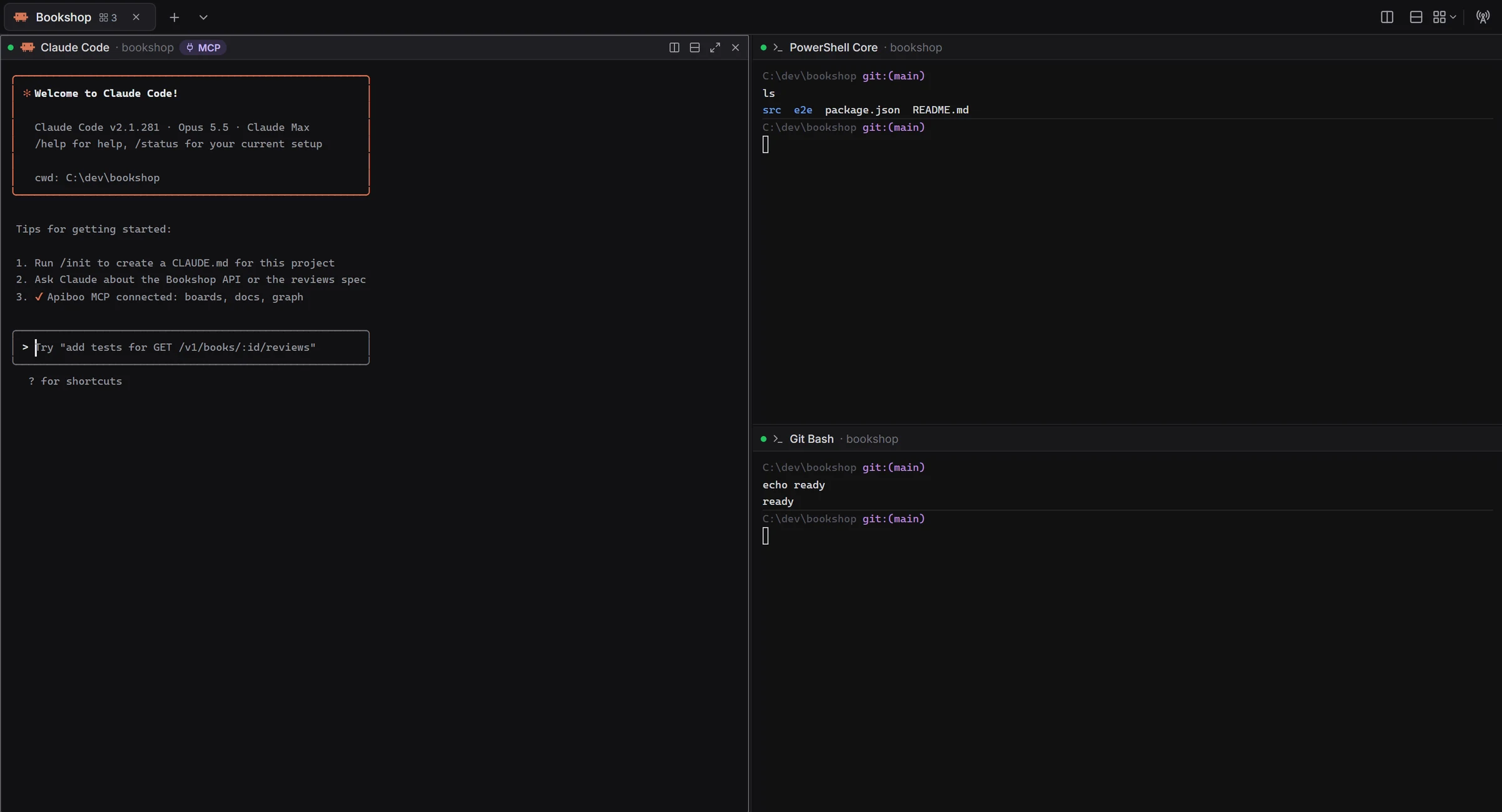
Local shells and SSH to servers from your Vault. Split a tab into up to eight panes and run Claude Code, Codex, Cursor CLI or Grok side by side.
Docs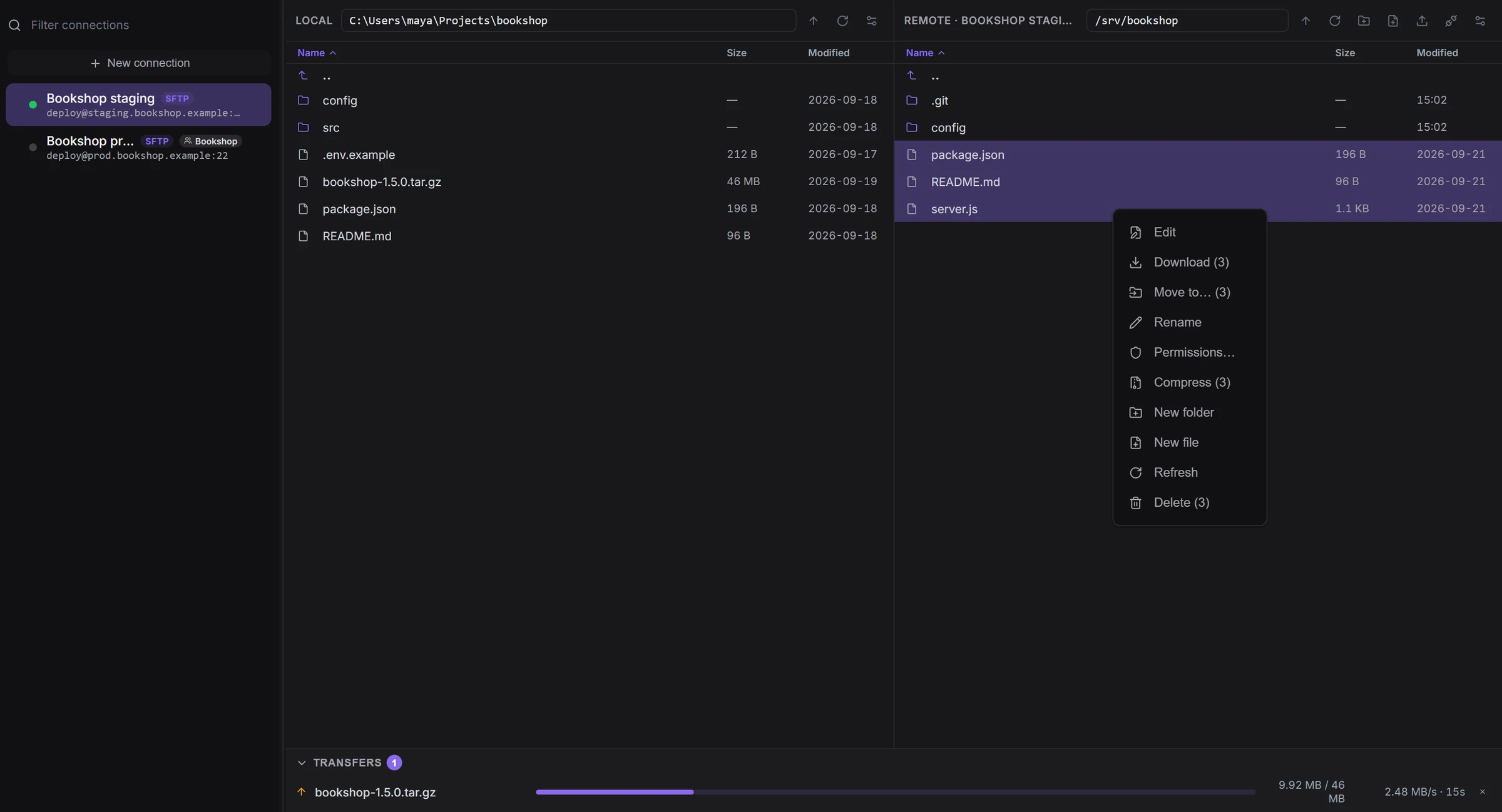
A two-pane file manager for SFTP, FTP and FTPS, and an editor that shows you a diff if the file changed on the server meanwhile.
Docs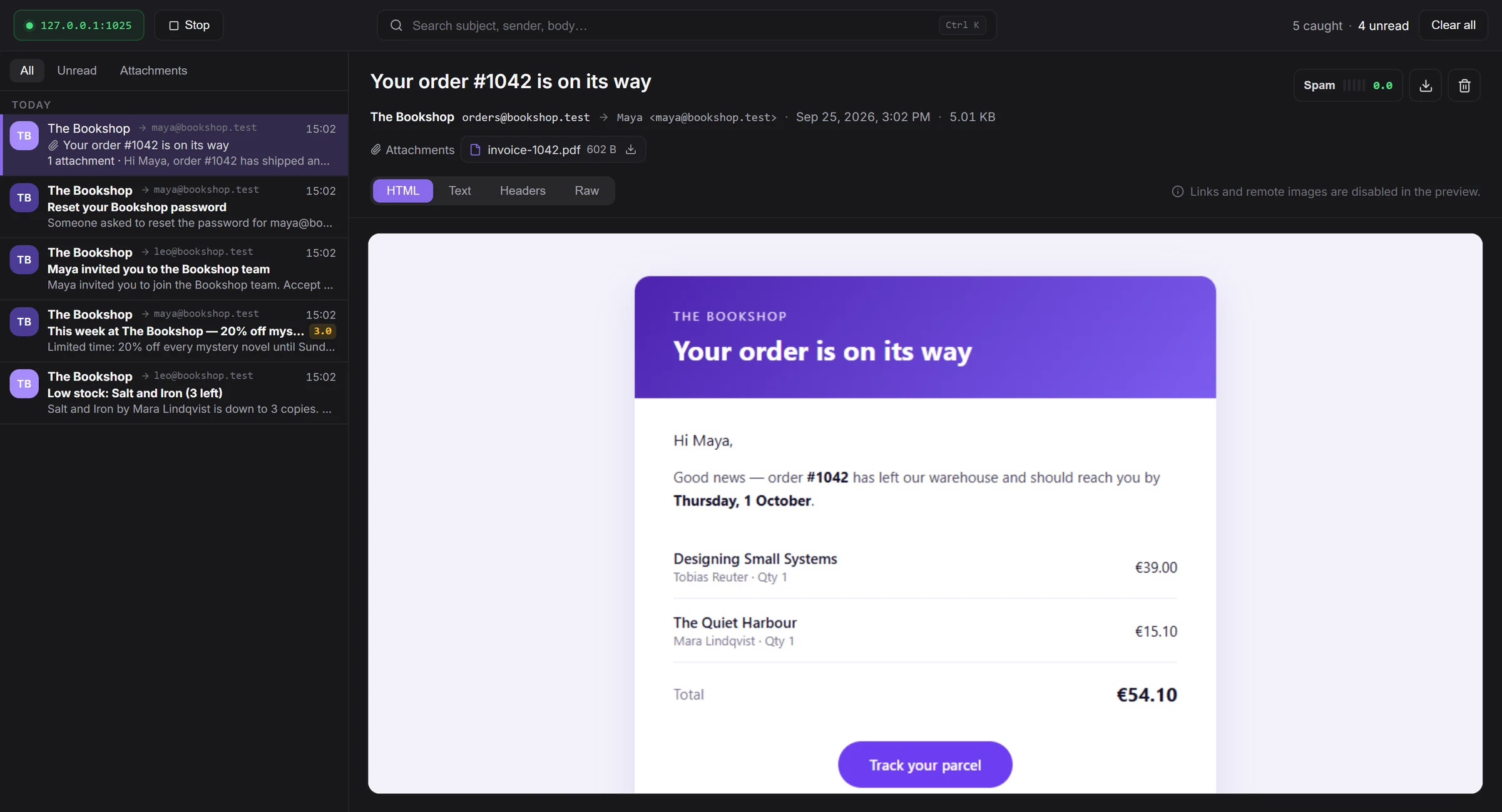
A local SMTP inbox that catches the mail your app sends while you test it, with HTML, text, headers and an offline spam check.
DocsBoards, documents, a calendar and chat live in the same window as your collections — for you alone, or shared with your team.
Explore Boards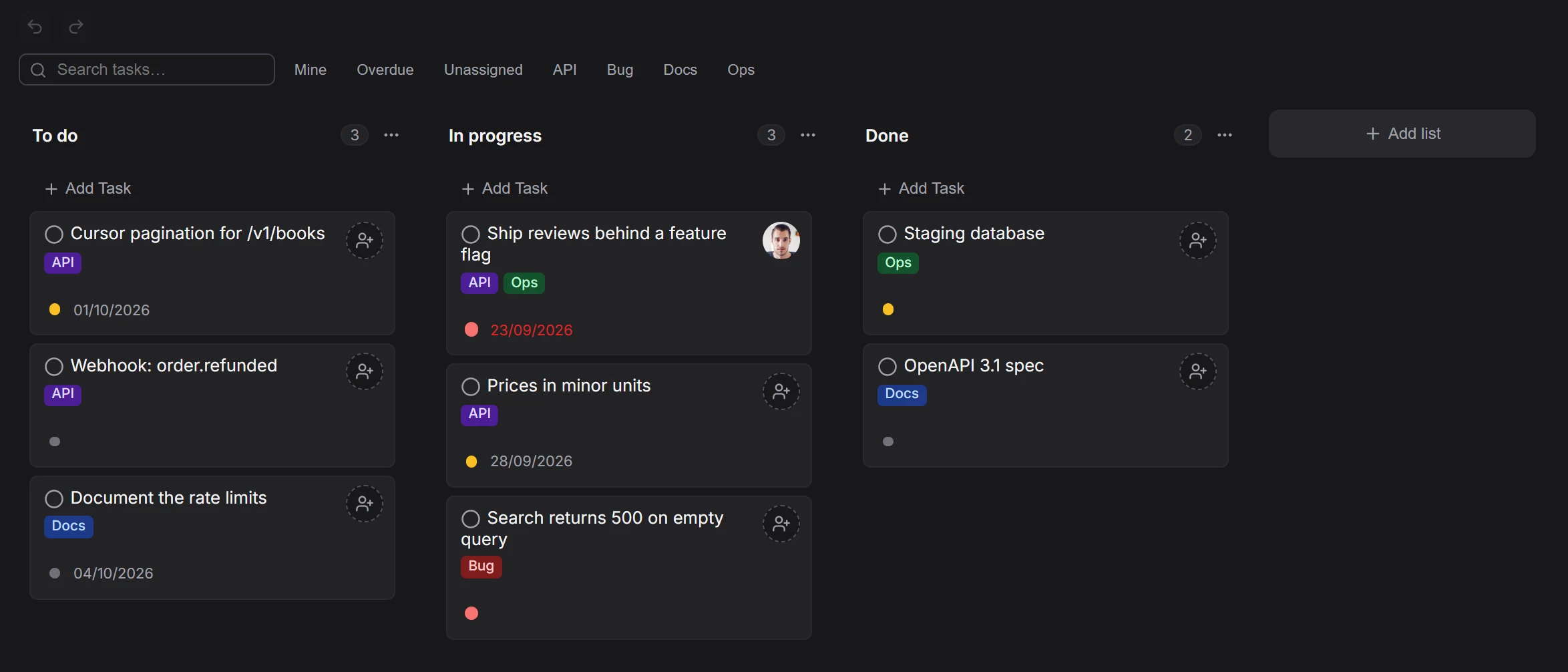
Kanban and list views with labels, priorities, due dates and comments. Team boards add assignees, @mentions and live editing.
Docs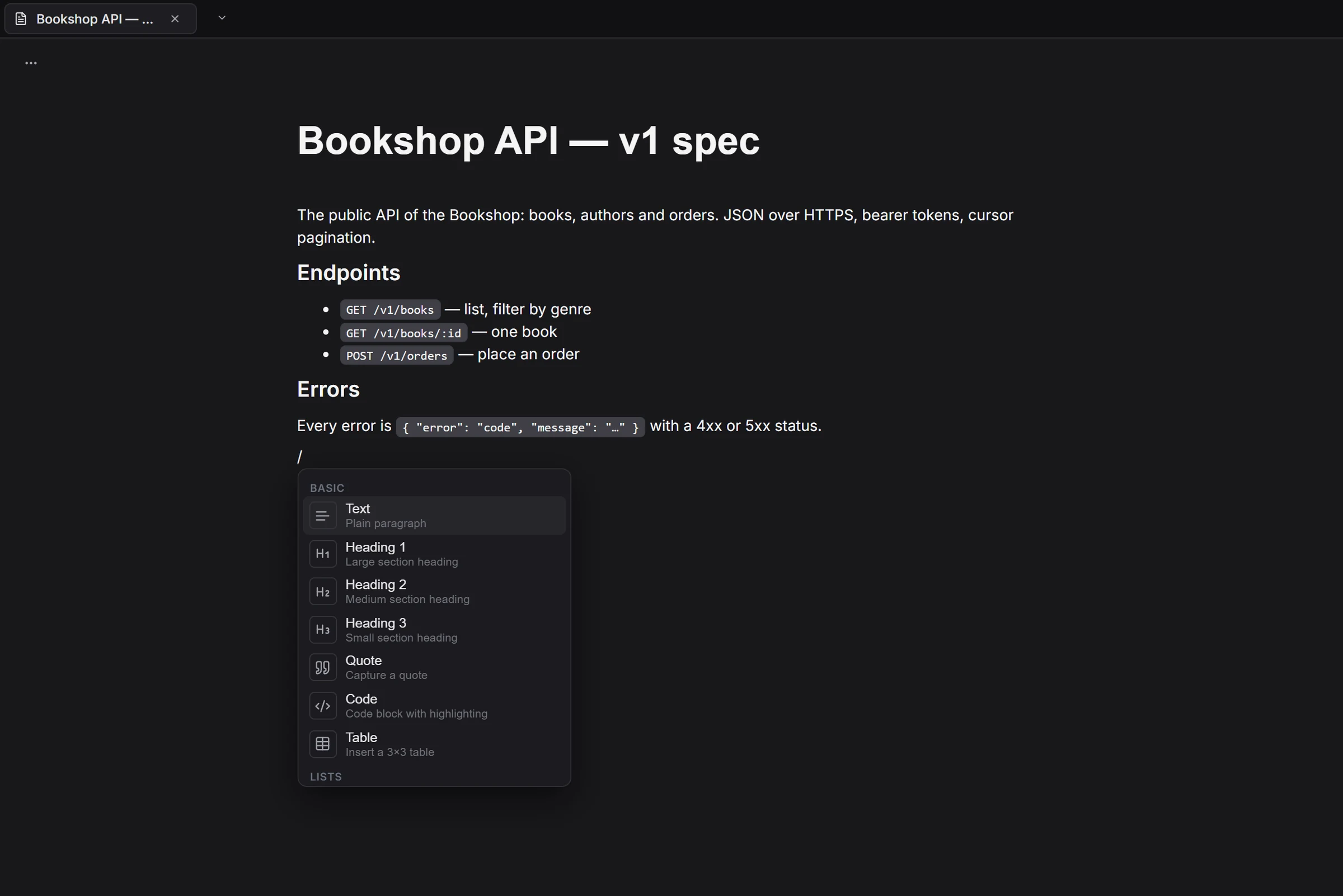
Notes, specs and wikis in a block editor with a / menu, code blocks, tables and embeds. Export to PDF, Markdown or HTML.
Docs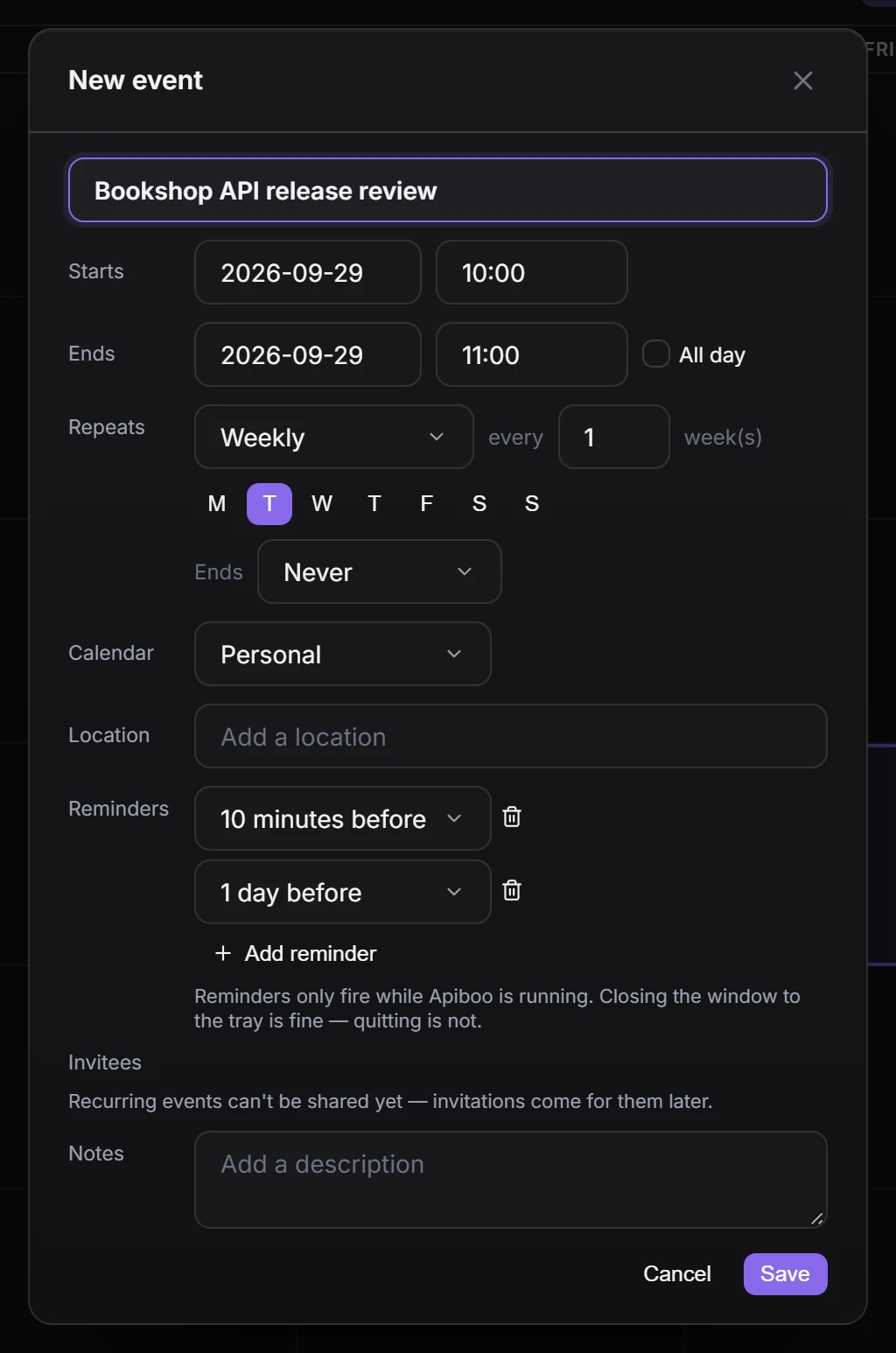
Month, week, day and agenda views, recurring appointments, reminders, and .ics import and export.
Docs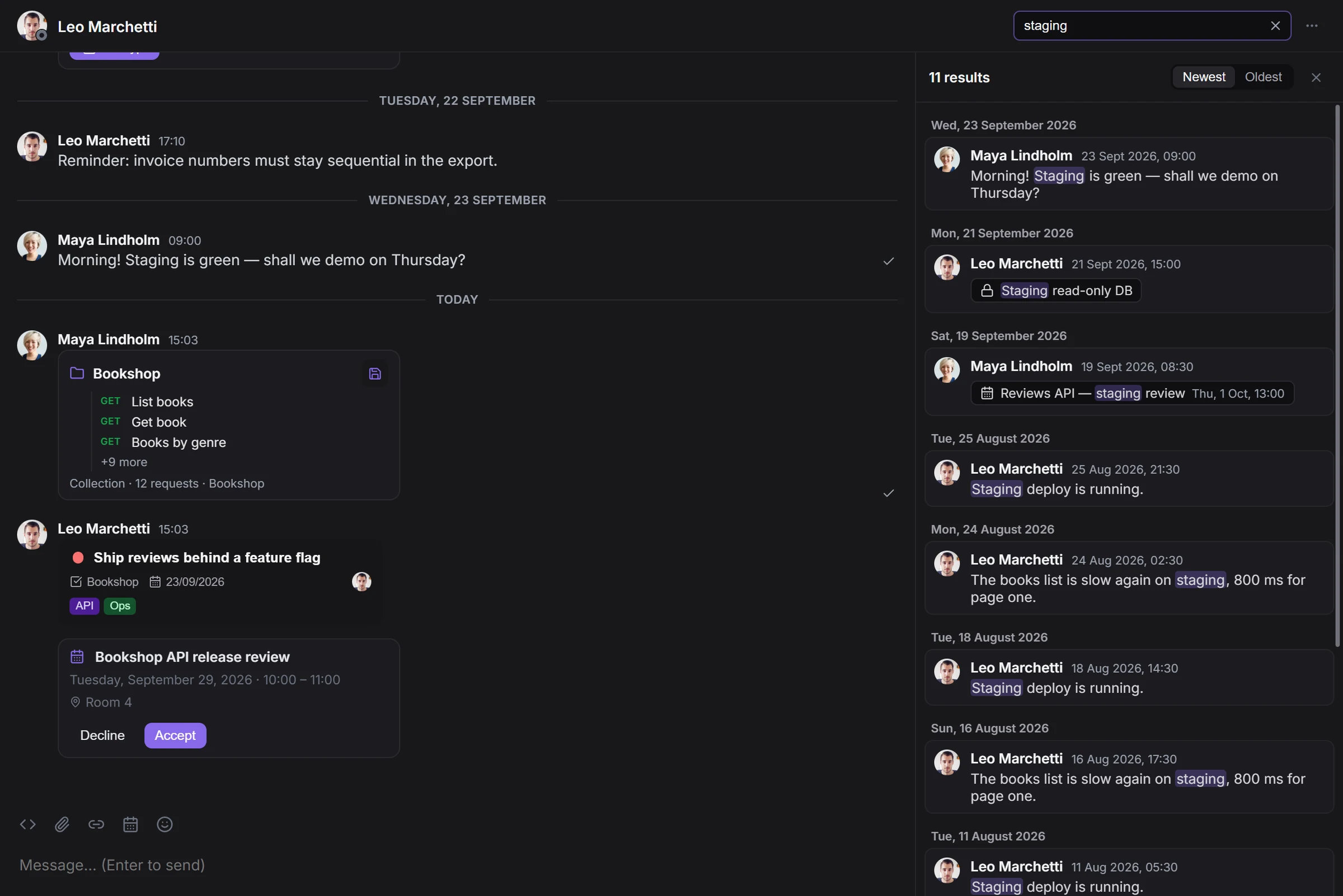
Direct messages and channels. Share a request, a task or an appointment, and find any message with has:, from: and date filters. Needs an account.
DocsThe built-in MCP server lets Claude Code, Codex, Cursor and Claude Desktop work with your boards, docs and collections — only the areas you switch on.
Explore the MCP server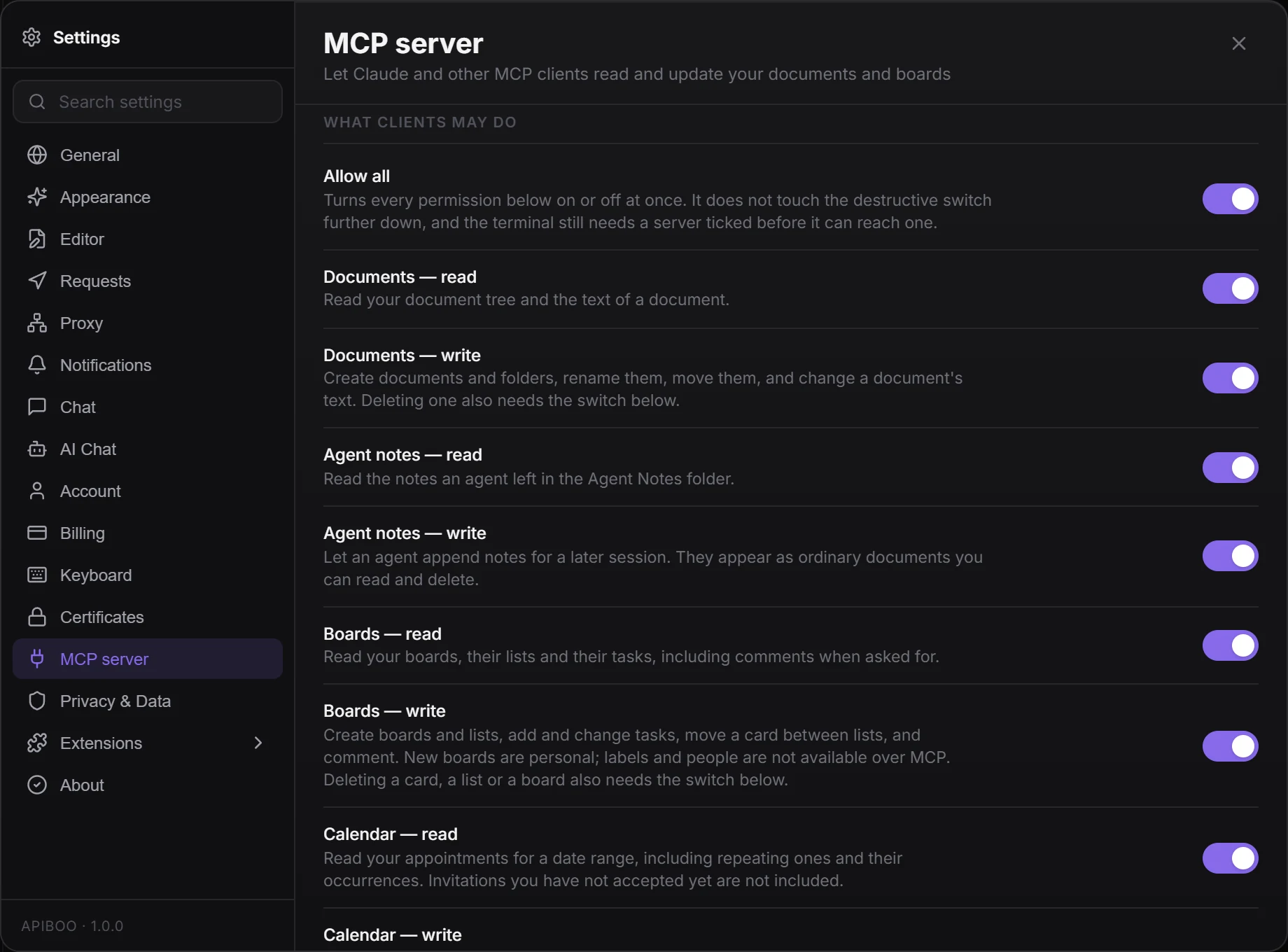
Read and write switches per area, all off to begin with. The server listens on 127.0.0.1 only, behind a token.
Docs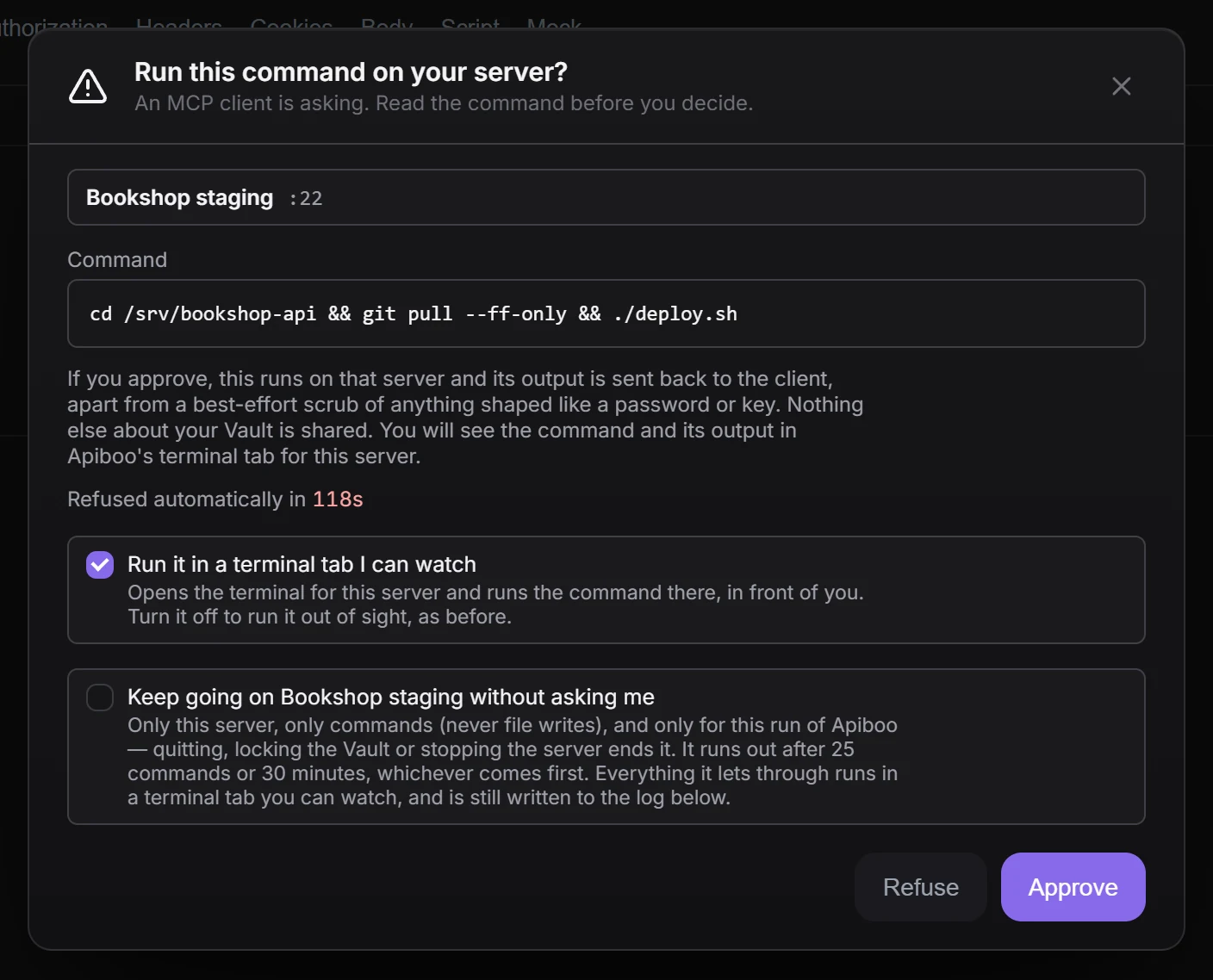
An agent can run a command on your server only after four gates, and the last one is you pressing Approve — for every command.
Docs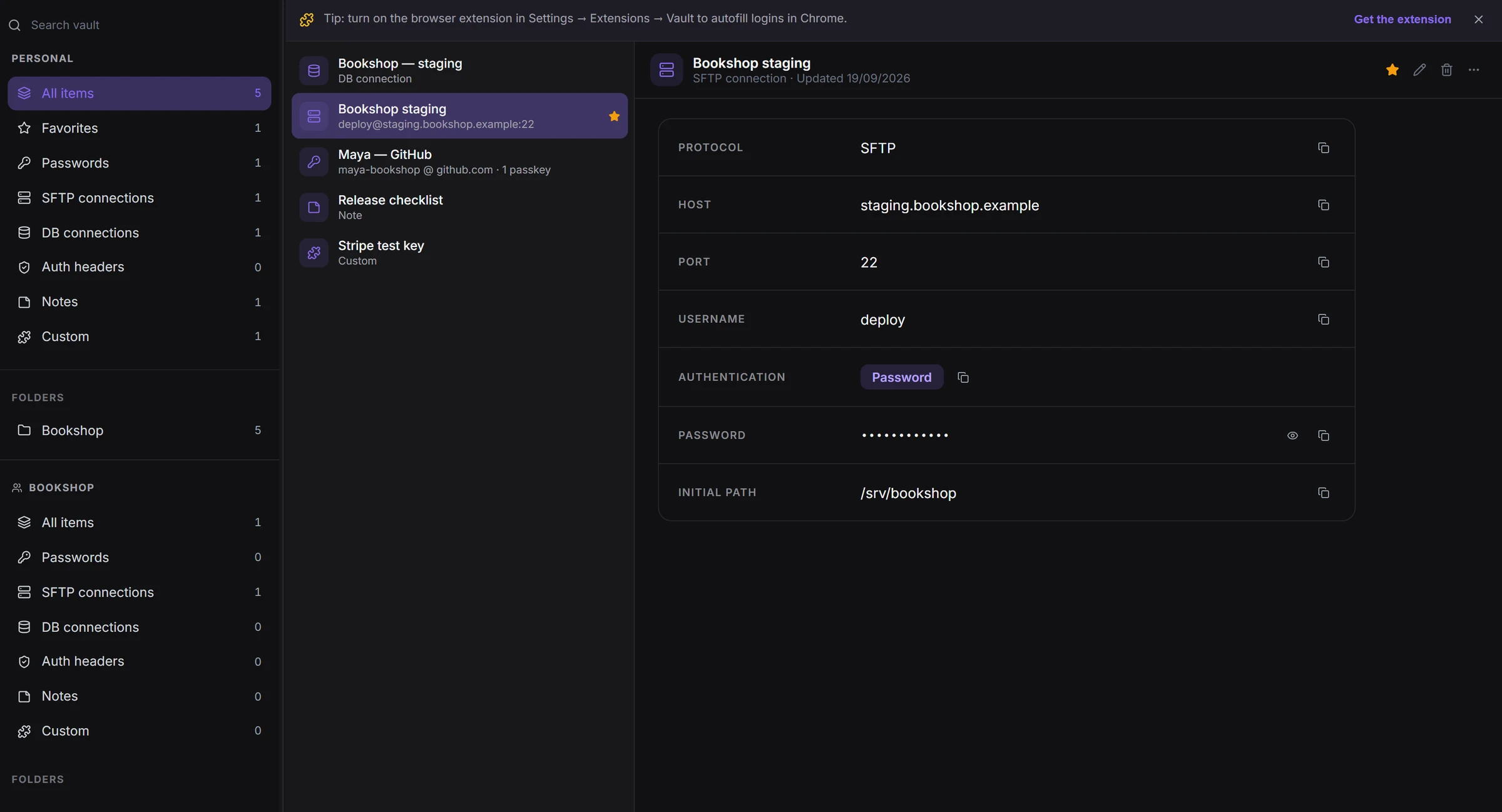
Secrets, server and database connections and passkeys behind their own passphrase. An agent sees at most a connection’s name — never the secret.
Docs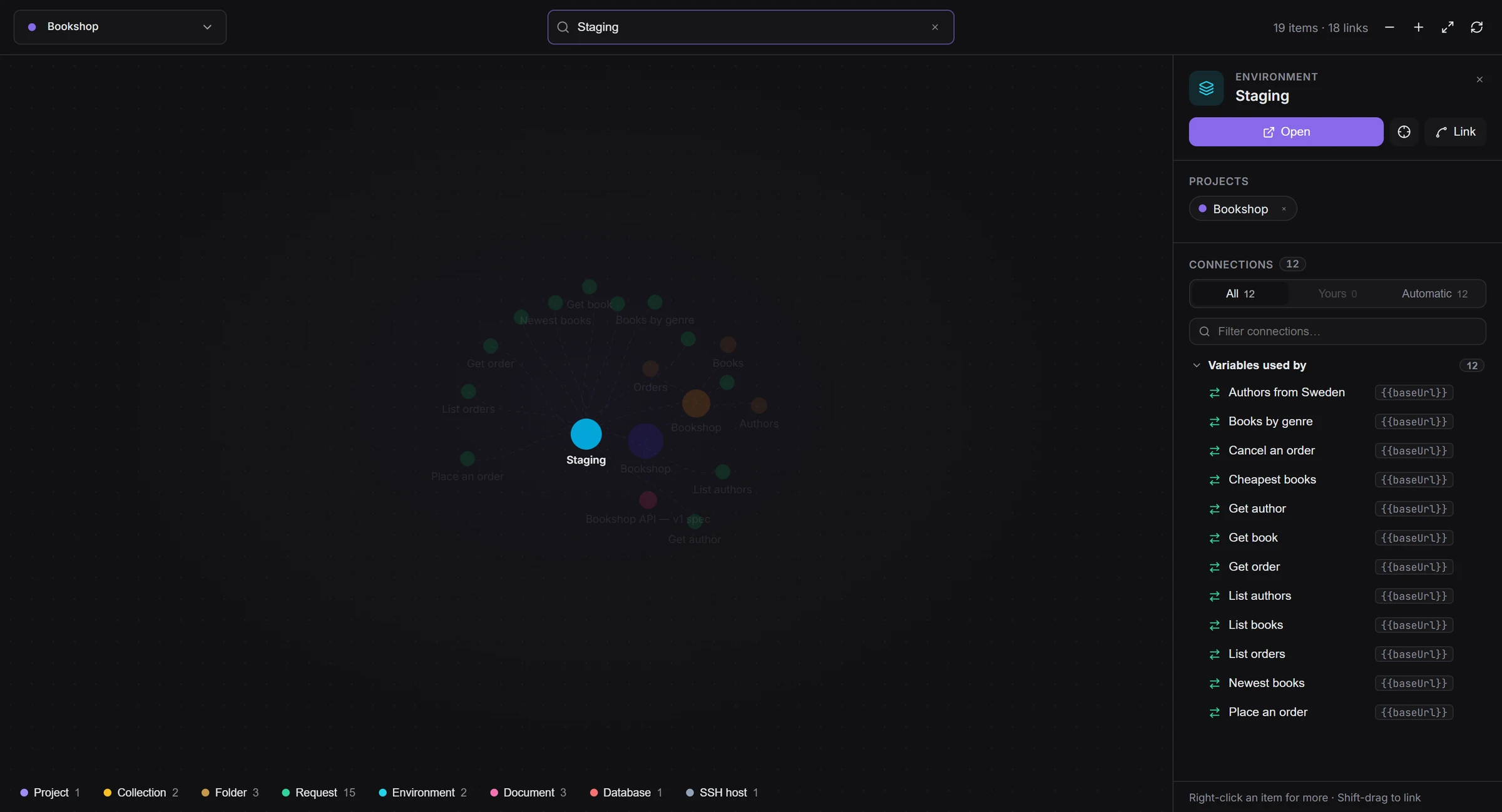
See how your requests, docs, tasks and servers link up, for you and for the agents you connect. Your personal items for now; team items are not in it yet.
DocsEvery tool works offline and without an account. Sync, sharing and teams are there when you want them — not before.
How plans and your data workCollections, requests, databases, terminals and the Vault work with no account and no internet.
DocsLocal, personal cloud, team or Git workspaces — each one stored where you decide.
DocsThe Vault has its own passphrase and recovery phrase, and local data can be encrypted at rest.
DocsUse the assistant with your own Anthropic, OpenAI, Gemini or OpenRouter key, or sign in for Apiboo’s.
DocsMade in the EU, hosted on EU and US infrastructure — and anonymous usage data can be switched off.
DocsEvery tool is free on your own computer. Pro adds unlimited sync, cloud workspaces and Vault sync; Team adds shared workspaces, roles and central billing.
See pricingEvery tool, unlimited local collections, the Vault and the AI assistant with your own key.
Unlimited sync across your devices, cloud workspaces, Vault sync and cloud mocks.
Shared team workspaces, organisations, roles and central billing.
